Step 2: Submit forms to IRS with direct IRS eFile service
2.1 Click ezW2 top menu "Direct E-File (IRIS)" to open efile screen.
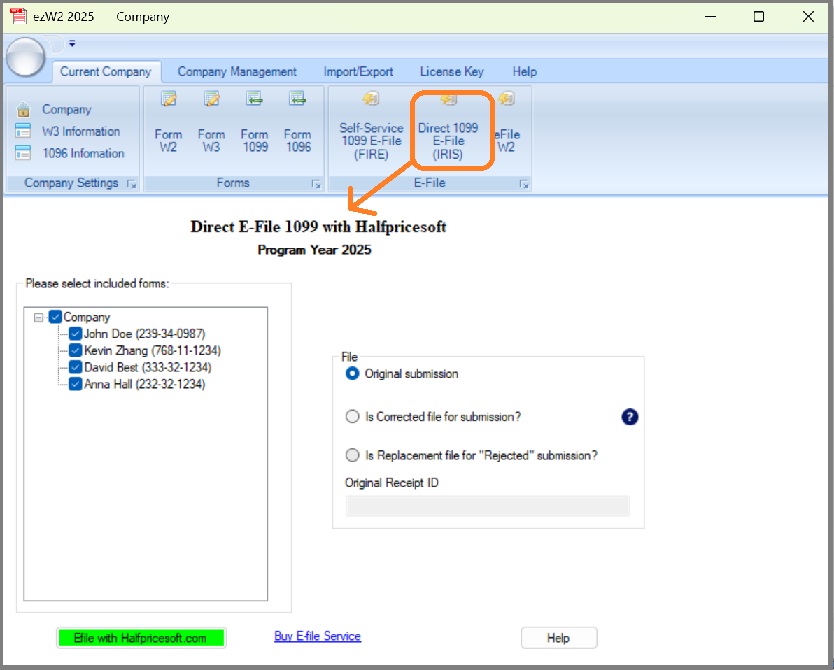
2.2 Select forms to efile from list
2.3 Choose File option
If you need to file a correction or replacement, please also enter the Original Receipt ID.
2.4 Click the button "Efile with halfpricesoft.com" and ezW2 will automatically validate your form data.
If there are any error, please copy the error to a document, go back to 1099 form list and fix.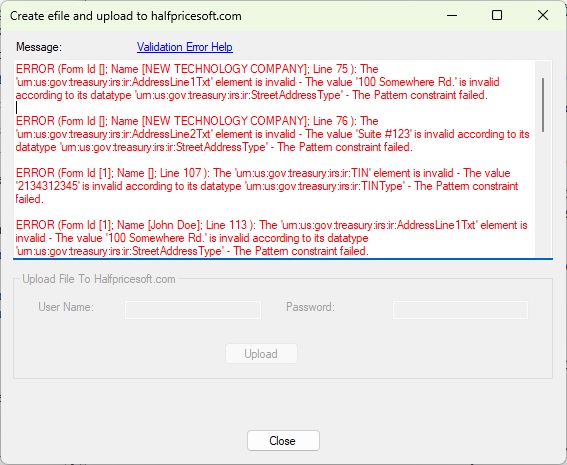
2.5 If no validation errors are found, enter your customer account User Name and Password.
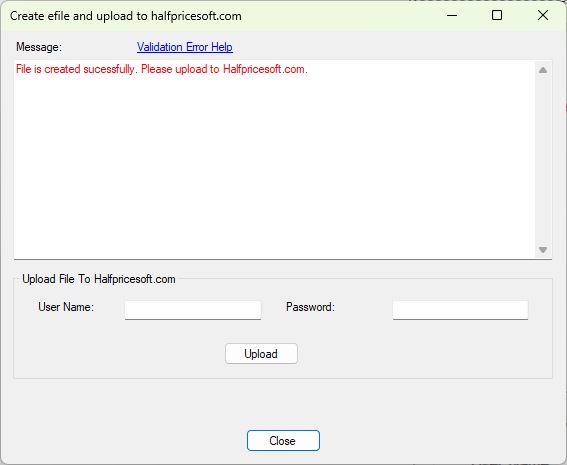
2.6 Then click "Upload" to submit your 1099-NEC and 1096 forms.
Our system will securely transmit your forms to the IRS through our registered TCC and IRS account automatically.