HalfpricesoftHalfpricesoft


    ezCheckDraft: How to Switch Account


    ezCheckDraft can support multiple accounts with one flat rate. You can follow this guide to switch the current account.

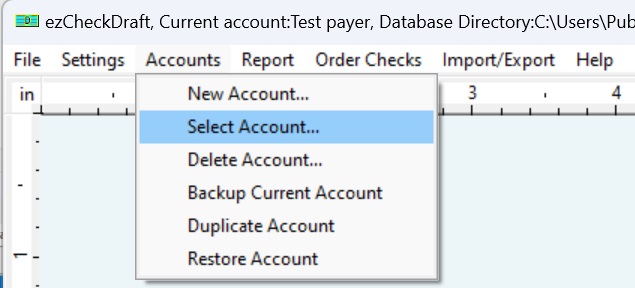
    Step 1: Start ezCheckDraft software, click the top menu "Accounts" then "Select Account" to view the account list

    select account menu

    Step 2: Switch the current account

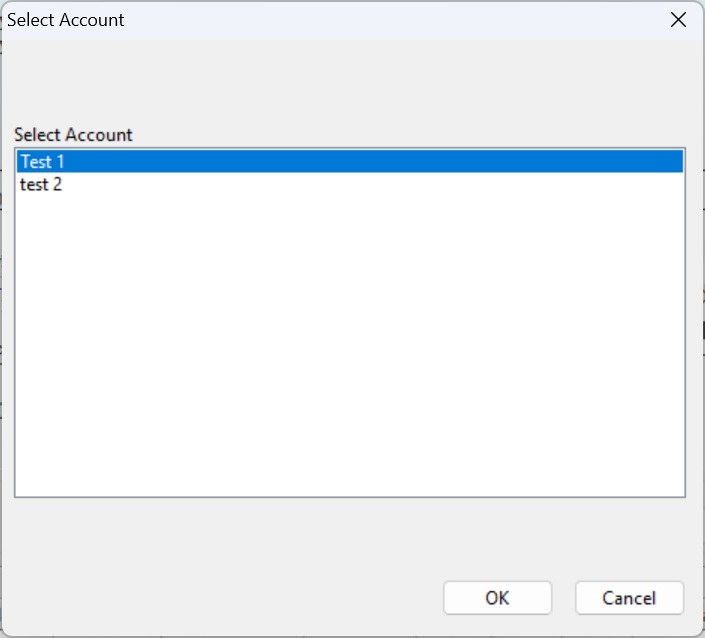
    Option 1: Single-user version

    Note: You cannot change the default data folder path with the sinlge user version. This feature is available for multiple-user version only.

    select account single-user version

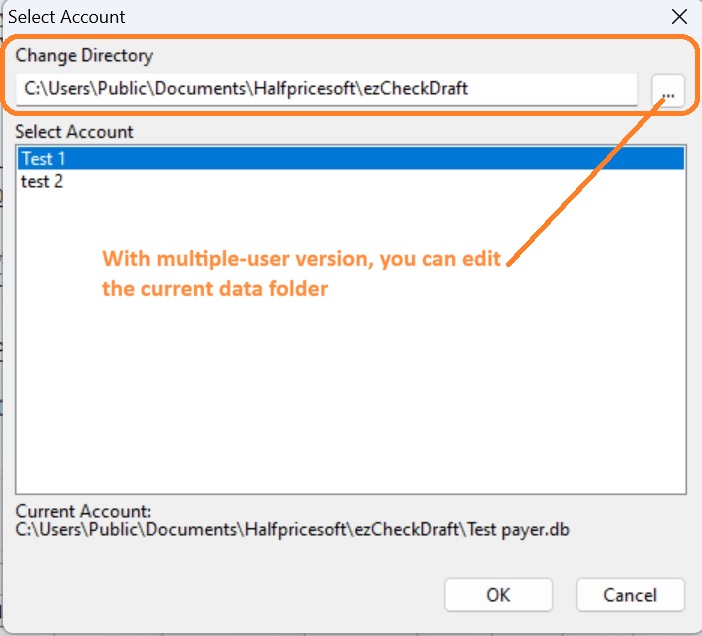
    Option 2: Multiple-user version

    You can change the data folder path with the multiple-user version.

    select account single-user version


    Check Draft software
    From $59

    Draft Checks Electronically In-House

    ezCheckDraft: Trusted By Thousands.

  • Draft checks electronically
  • Generate ACH files for draft checks
  • Unlimited accounts. Unlimited transactions.
  • For both federal and states.
  • Try free DEMO today. No obligation. No credit card required. No risk.

  • ezCheckDraft is compatible with Windows 11, 10, 8.1, 8, 7, and other Windows system, 32-bit or 64-bit.


    Related Links

  • Quick Start Guide


  • How multiple users can share the same account to print bank drafts


  • How to print 3 checks on the same sheet

  • How to print bank draft with check-on-top format

  • How to print monthly recurring bank drafts

  • How to print EPC-6 code for RCC

  • Sample Check


  • How to accept check by phone

  • How to accept check by fax

  • How to accept check by internet