ezPaycheck Payroll: How to Manage Overtime Payment
Download Now> Buy NowezPaycheck payroll software is the easy-to-use and flexible payroll tax solution for small businesses. It can handle paychecks by hourly rate, salary, shift rate, commissions, tips, pay-by-piece, pay-by-load and more. It also prints paychecks on blank stock and pre-printed checks.
Here are the steps to manage regular overtime payment.
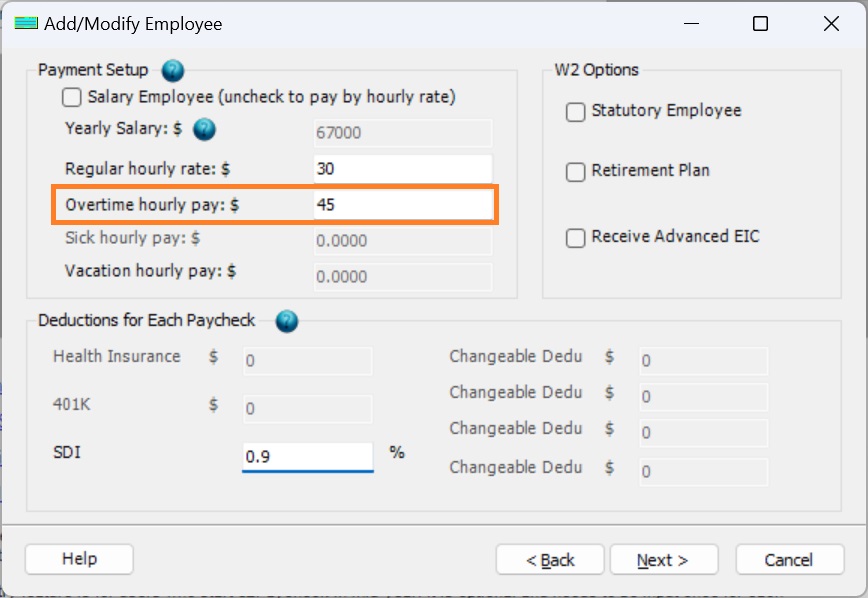
Step 2: Set up the employee pay rates for overtime pay
Click the left menu "Employee List" to view employee list.
Add/Edit the employee, and enter the new pay rate.
Step 3: Generate a new payCheck
Enter the hours for overtime pay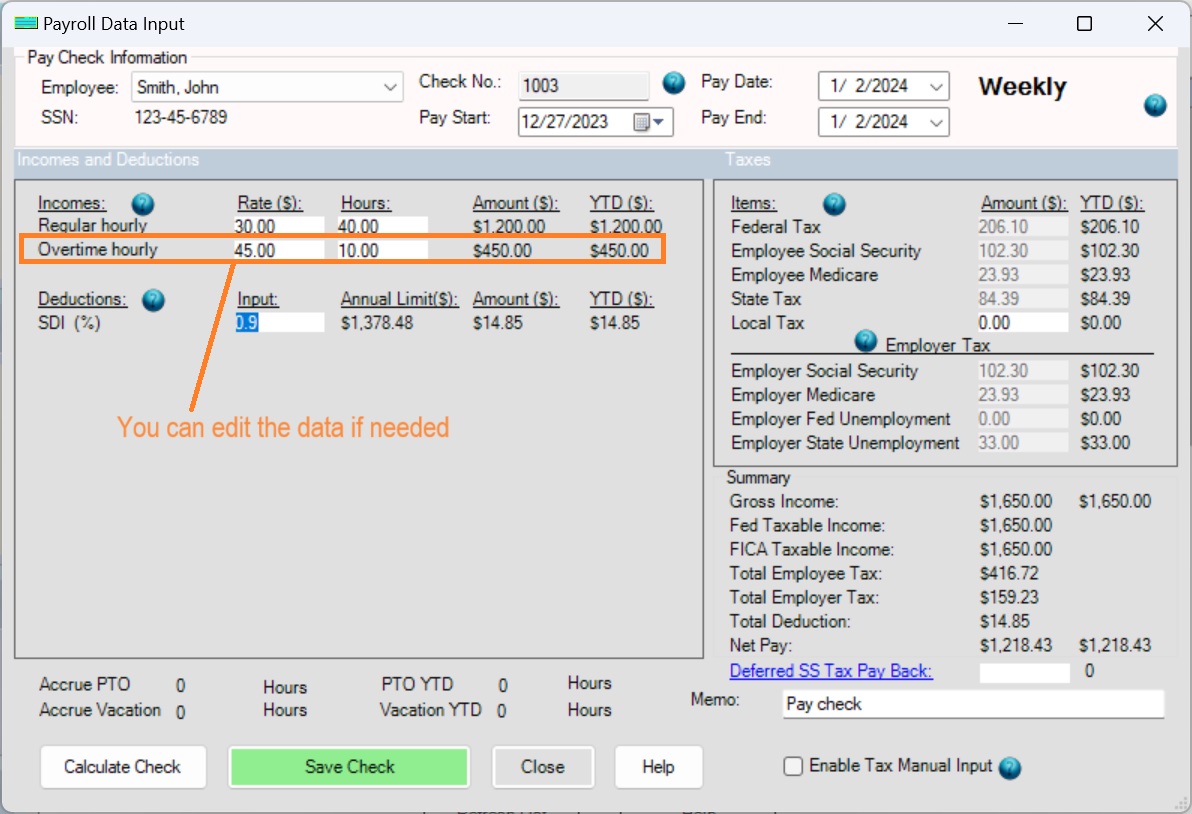
Step 4: Print paychecks
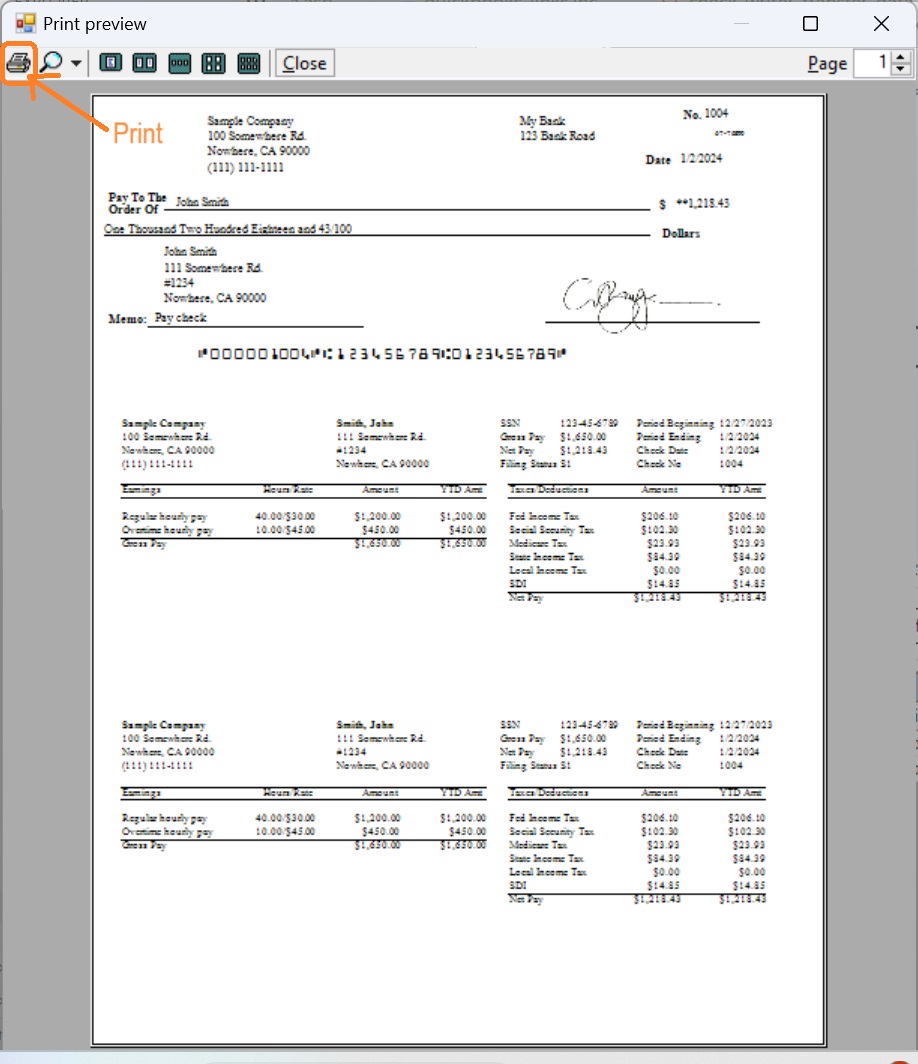
- Select check(s) from check list
- Click Print button to print check(s)
Note: Alabama has enacted a law to make overtime compensation exempt from the state income tax. The new law will only apply to income received on or after January 1, 2024, through June 29, 2025.
More information:
More about ezPaycheck payment settings

From $169 | ezPaycheck Makes Payroll An Easy, In-House Task!(For Windows and Mac)
- Trusted by Thousands for Two decades.
- Calculate Federal & State Taxes, Print Paychecks, Print W2, W3, 941, 943 and 940.
- User-friendly, Easy-to-use
- No monthly fee.
Act now: automate your small business payroll today.
Try it free for 30 days with no obligation. No credit card required.
|
Related Links: