How to Withhold 401K Contribution from Each Paycheck Automatically
ezPaycheck payroll software makes small business payroll an easy job. It includes multiple customized deduction and tax fields to support 401K deduction and more.
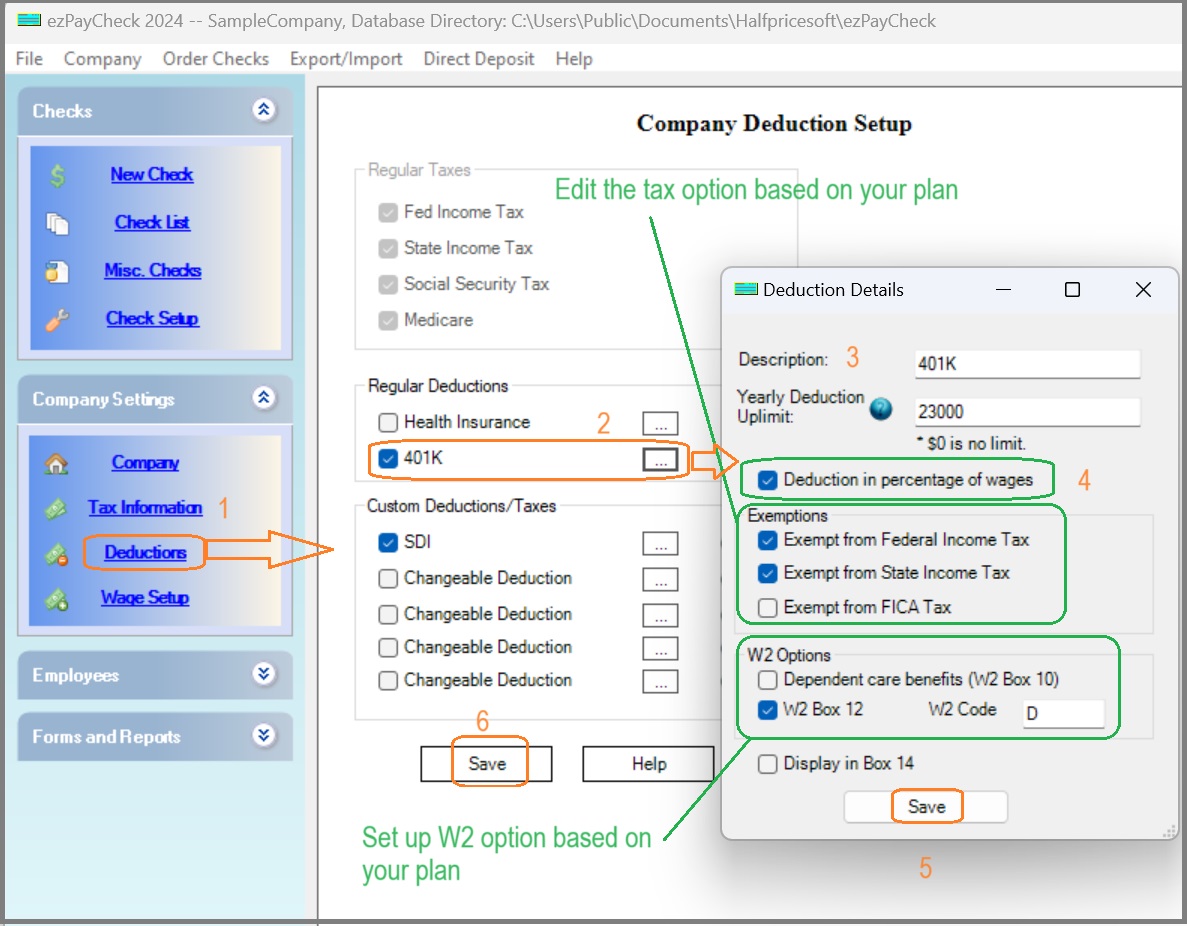
Step 1: Start ezPaycheck and click the left menu "Company Settings" then "Deductions" to view the "Company Deduction Setup" screen
Step 2: Add/Edit the 401K deduction
2.1 Check one deduction field, click settings button(...) behind it to enter the details
2.2 Enter the deduction name(ie: 401k, SEP IRA, Roth IRA)
2.3 Enter the Yearly Deduction Uplimit.
2.4 You can set up this deduction by amount or by percent
2.5 Select the exemptions based on your plan
2.6 Speicfy the W2 option
2.7 Save your changes on each step
(Click image to enlarge)
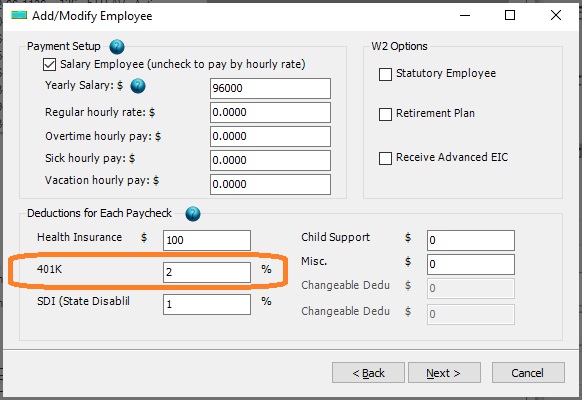
Step 3: Edit employee profile and enter the withhold amount or percent for 401K plan
(Click image to enlarge)
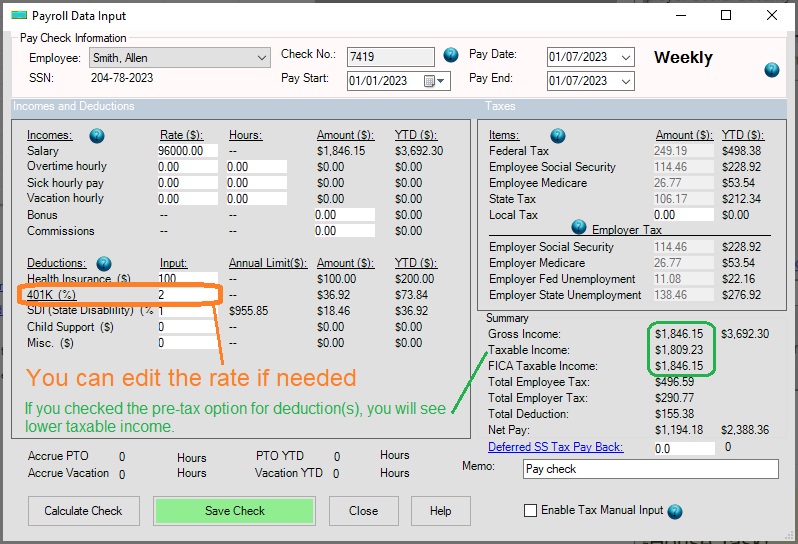
Step 4: Add a new check
You will see the 401K deduction on the new check. If needed, you can modify the value when you add a new check.
(Click image to enlarge)

From $169 | ezPaycheck Makes Payroll An Easy, In-House Task!(For Windows and Mac)
- Trusted by Thousands for Two decades.
- Calculate Federal & State Taxes, Print Paychecks, Print W2, W3, 941, 943 and 940.
- User-friendly, Easy-to-use
- No monthly fee.
Act now: automate your small business payroll today.
Try it free for 30 days with no obligation. No credit card required.
|
Related Links:
Download Now> Buy Now