Can I Print a Paycheck with Home/Office Laser Printer?
A laser printer (or a MICR printer) is required to print paychecks on blank stock. If you will be printing check data only on pre-printed checks, you can use any printer.Many of our clients prefer to use the office/home laser printers. However, MICR (Magnetic Ink Character Recognition) printers will print checks with the best quality.
We do not suggest the ink-jet printers for blank stock check printing! Some ATMs and grocery stores may not be able to scan the checks if they are using the old scanners.
#1: Blank Stock Check Printing
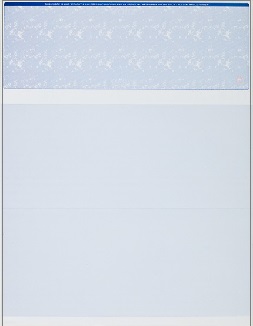
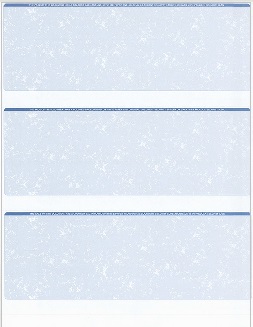
We suggest a home/office laser printer or a MICR printer.
How to print paychecks on blank stock?How to print paychecks with different formats?How to design a paycheck?#2 Fill in data on pre-printed check
If you have standard pre-printed check with bank information, you can use any printer.
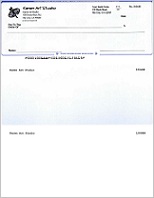
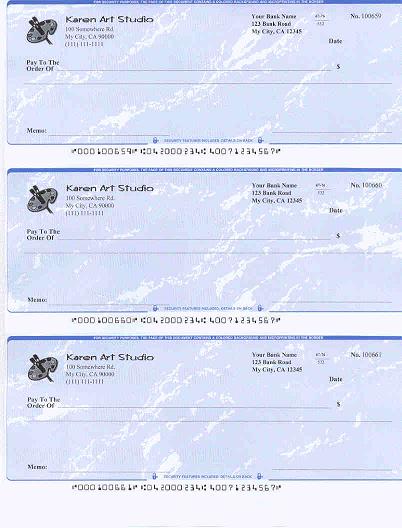 How to fill in payroll data on blank check?
Laser Printer
You can
purchase the laser printer
from your local office store and online.
Sample Paychecks
With
ezPaycheck payroll software, you can prints paychecks on blank stock and pre-printed checks in the following formats:
Check-on-topCheck-in-middleCheck-at-bottom3-per-pageClick to view the sample paycheck and sample paystubs
More information
How to print a paycheck on blank stockHow to print paystubs onlyHow to enter paycheck data manuallyHow to generate a paycheck automaticallyHow to print a paycheck with/without logoHow to print a paycheck with/without signatureHow to print paychecks in different formats: top, middle, bottom and 3-per-page

From $169 | ezPaycheck Makes Payroll An Easy, In-House Task!(For Windows and Mac)
- Trusted by Thousands for Two decades.
- Calculate Federal & State Taxes, Print Paychecks, Print W2, W3, 941, 943 and 940.
- User-friendly, Easy-to-use
- No monthly fee.
Act now: automate your small business payroll today.
Try it free for 30 days with no obligation. No credit card required.
|