Payroll Software: How to Add a New Company Account
In house payroll software ezPaycheck can print paychecks on blank stock and pre-printed checks. It also supports multiple company accounts with no extra charge. Here is the step by step guide about how to add a new account quickly.
Option 1: Add a new account from scratch
Start ezPaycheck payroll software, click the top menu "Company" then click sub menu "Add Company" to add a new company. Then you just follow the wizard to finish each step. You can learn more from
ezPaycheck Quick Start Guide.
Option 2: Add a new company account by duplicating the current company account
- 2.1 Start ezPaycheck payroll software
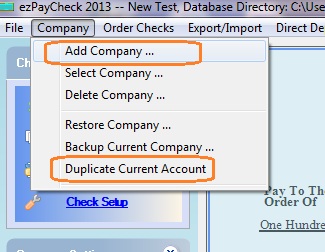
- 2.2 Click the top menu "Company", then click sub menu "Duplicate Current Account"
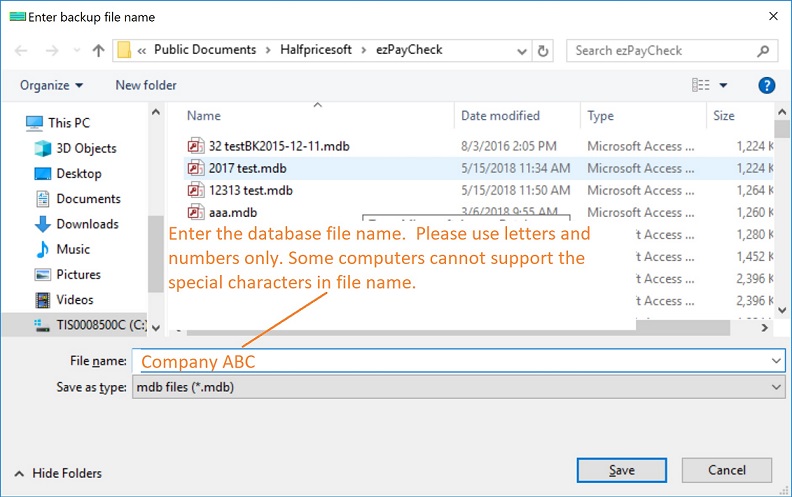
- 2.3 Enter the new account name
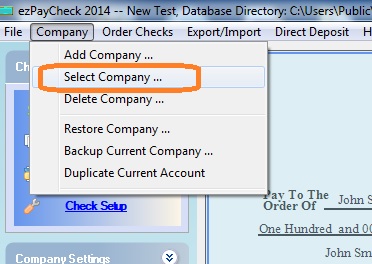
- 2.4 Click the top menu "Company", then click sub menu "Select Current Company" to switch the new company as the current company
- 2.5 Edit the company settings and employee settings. You can learn more on how to set up a new company account from
ezPaycheck Quick Start Guide.

From $169 | ezPaycheck Makes Payroll An Easy, In-House Task!(For Windows and Mac)
- Trusted by Thousands for Two decades.
- Calculate Federal & State Taxes, Print Paychecks, Print W2, W3, 941, 943 and 940.
- User-friendly, Easy-to-use
- No monthly fee.
Act now: automate your small business payroll today.
Try it free for 30 days with no obligation. No credit card required.
|
Related Links:
ezPaycheck Quick Start GuideHow a add a new company accountHow to handle both employees and contractorsHow to handle restaurant tipsHow to add a custom deduction and withhold it from each paycheck automaticallyHow to handle local taxesHow to handle State Disability Insurance (SDI)How to print paycheck in different formats: check-on-top, check-in-middle, check-at-bottom or 3-per-pageHow to print paycheck on blank stockHow to print paycheck on pre-printed checksHow to print paycheck with company logoHow to adjust check printing positionSample PaychecksDetermine a Company's Name for e-Filing